
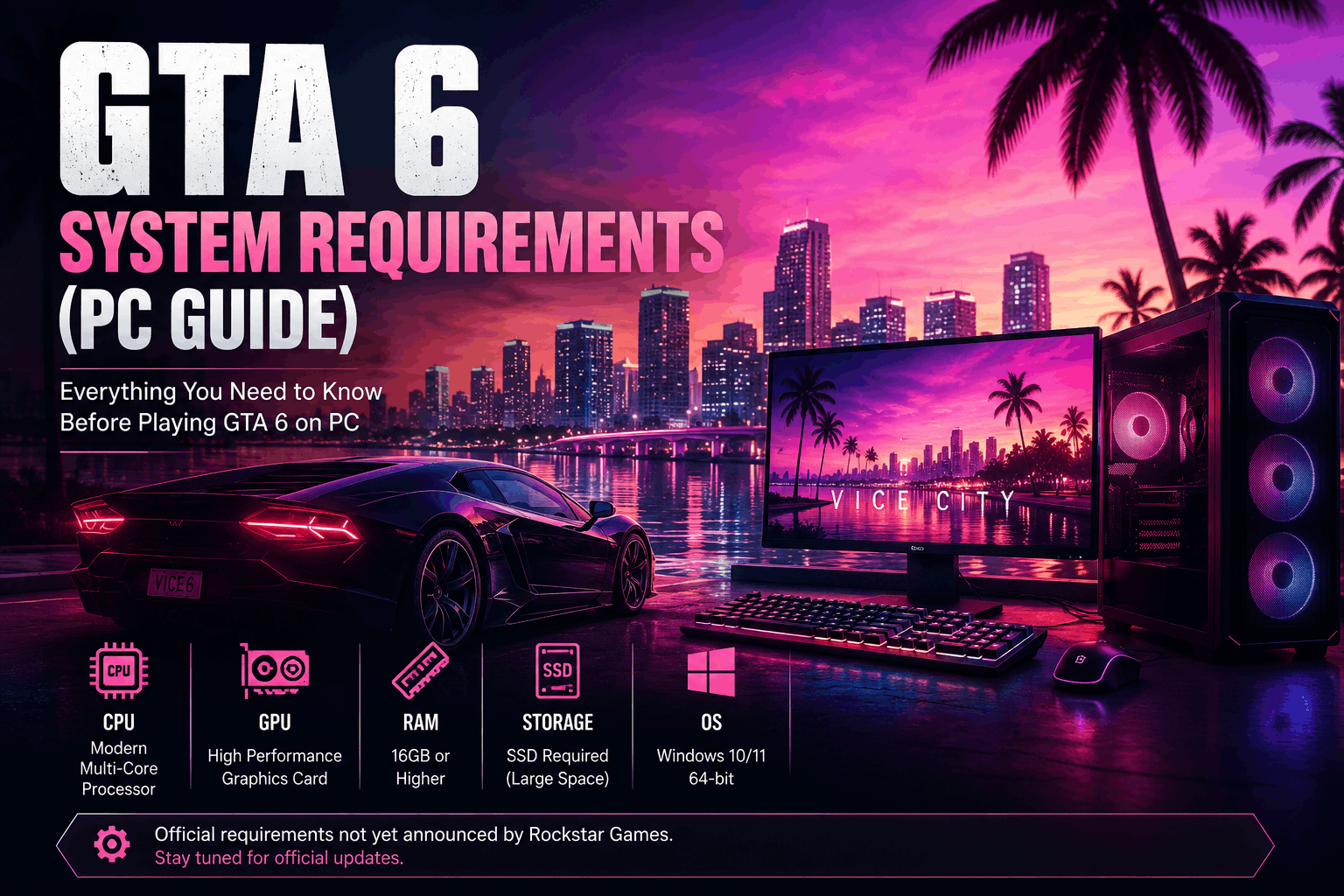
GTA 6 System Requirements (PC): Everything We Know So Far
Grand Theft Auto VI (GTA 6) is one of the most highly anticipated video games in the world. Since Rockstar Games officially announced the game, millions of players have been searching for one important question:
“Can my PC run GTA 6?”
This question appears across gaming forums, YouTube videos, Reddit discussions, and Google searches every day.
However, many websites publish fake or estimated system requirements without explaining that they are unofficial. As a result, players often become confused about which information is accurate.
In this guide, we’ll explain everything currently known about GTA 6 PC system requirements, what Rockstar Games has officially announced, why official requirements matter, and how you can prepare your gaming PC while waiting for confirmed information.
Whether you’re planning to upgrade your computer or simply want to know if your current hardware is likely to be ready, this guide will help you understand the situation clearly.
Has Rockstar Games Officially Released PC System Requirements?
This is the first and most important question.
At the time of writing, Rockstar Games has not officially published the minimum or recommended PC system requirements for GTA 6.
That means any website claiming to know the exact RAM, processor, graphics card, or storage requirements should not be treated as an official source unless Rockstar confirms those details.
Whenever official system requirements are released, ViceCityPlay will update this article with verified information.
Why Are Official System Requirements Important?
Every modern video game requires certain hardware specifications to run properly.
Official system requirements help players understand:
- Whether their PC can launch the game.
- Which graphics settings may be available.
- Expected performance.
- Storage requirements.
- Supported operating systems.
- Hardware recommendations for smoother gameplay.
Without official information, it is impossible to guarantee how the game will perform on a specific computer.
This is why relying on Rockstar’s official announcements is always the safest approach..
Why Are There So Many Fake System Requirement Lists?
As excitement for GTA 6 continues to grow, many websites publish estimated hardware requirements simply to attract visitors.
These lists often include specific graphics cards, processors, and RAM amounts even though Rockstar has never confirmed them.
Some articles clearly state that the specifications are predictions, while others incorrectly present them as official information.
When reading any GTA 6 hardware article, always ask:
- Does the website mention Rockstar as the source?
- Are the specifications officially confirmed?
- Is there evidence supporting the claims?
If the answer is no, treat the information as speculation rather than fact.
Is GTA 6 Coming to PC?
Rockstar Games has announced GTA 6 for PlayStation 5 and Xbox Series X|S.
At the time this guide was written, Rockstar had not announced an official launch date for the PC version.
Many Rockstar titles have eventually arrived on PC, but players should wait for official announcements instead of assuming a release schedule.
Once Rockstar confirms PC availability, this article will be updated with the latest verified information.
Why Do PC Versions Sometimes Arrive Later?
Developing a game for PC is different from developing it for a console.
Unlike consoles, every gaming PC has different hardware.
Developers must optimize their game for:
- Different processors
- Various graphics cards
- Different RAM configurations
- Multiple storage devices
- Different Windows versions
- A wide range of display resolutions
This additional testing often requires extra development time.
Rockstar is known for prioritizing stability and quality before launching a game on additional platforms.
Why GTA 6 May Be More Demanding Than Previous GTA Games
Every new generation of Grand Theft Auto introduces major improvements in graphics, physics, animations, lighting, artificial intelligence, and world design. These improvements usually require more powerful hardware than previous games.
GTA 6 has been developed for modern gaming hardware, which means players can expect a significantly more advanced experience compared to older GTA titles. Even though Rockstar Games has not officially released the PC requirements, it is reasonable to expect that a modern gaming PC will provide a better experience than older systems.
This does not mean older PCs will be unsupported—the official requirements have not yet been announced. Until Rockstar publishes them, avoid relying on websites that present estimated hardware as confirmed information.
Processor (CPU): Why It Matters
The Central Processing Unit (CPU) is one of the most important components of any gaming computer.
In a large open-world game, the processor helps manage:
- Character behavior
- Traffic systems
- Vehicle physics
- Artificial intelligence
- Mission scripting
- Environmental events
- Background game calculations
A stronger processor generally provides smoother gameplay, especially in large cities where many activities happen simultaneously.
Before GTA 6 arrives on PC, make sure your operating system and drivers are updated so your computer is ready when official information becomes available.
Graphics Card (GPU)
The Graphics Processing Unit (GPU) is responsible for rendering the game’s visuals.
Modern games use advanced graphical technologies to display:
- Detailed environments
- High-quality textures
- Lighting effects
- Reflections
- Shadows
- Water effects
- Weather systems
- Character models
Since Rockstar has not announced official graphics card requirements, avoid websites claiming that a specific GPU is “required.”
Instead, wait for official recommendations before planning a hardware upgrade.
Memory (RAM)
RAM allows your computer to keep game data readily available while you play.
Insufficient memory can lead to:
- Longer loading times
- Performance drops
- Stuttering
- Reduced multitasking ability
The amount of RAM needed for GTA 6 has not been officially confirmed. When Rockstar publishes the official requirements, they will normally include both minimum and recommended memory specifications.
Storage Space
Modern open-world games often require significant storage because they contain:
- High-resolution textures
- Audio files
- Cinematic cutscenes
- Large maps
- Character models
- Game updates
Rockstar has not announced the official storage requirement for GTA 6.
However, keeping plenty of free space on your drive is always a good idea before installing any major game.
SSD vs HDD
Many gamers now use Solid State Drives (SSDs) instead of traditional Hard Disk Drives (HDDs).
Compared with HDDs, SSDs generally offer:
- Faster loading times
- Quicker game updates
- Better overall system responsiveness
- Improved file access speeds
Rockstar has not confirmed whether an SSD will be required or recommended for GTA 6 on PC. If official information is released, this article will be updated accordingly.
Operating System
Before installing any new game, ensure that your operating system is fully updated.
Keeping Windows updated provides:
- Better security
- Improved compatibility
- Driver support
- Performance improvements
Avoid installing unofficial “game optimization” software that promises unrealistic performance gains.
Keep Your Graphics Drivers Updated
Graphics card manufacturers regularly release driver updates that improve compatibility with newly released games.
Benefits of updated drivers include:
- Better stability
- Performance improvements
- Bug fixes
- Support for new technologies
Always download drivers directly from your graphics card manufacturer’s official website.
Internet Connection
Although GTA 6’s single-player experience may not require a constant internet connection, players should remember that:
- Digital purchases require downloads.
- Game updates are delivered online.
- Online features, if available, depend on an internet connection.
A stable internet connection also helps download future patches more efficiently.
Should You Upgrade Your PC Now?
Many players consider upgrading their computers long before a major game launches.
Before spending money, ask yourself:
- Has Rockstar released the official PC requirements?
- Is my current computer performing well in modern games?
- Am I upgrading for GTA 6 alone, or for future games as well?
Waiting for official hardware requirements before making expensive upgrades is usually the smartest decision.
How to Prepare Your PC Before GTA 6 Launches
Even though Rockstar Games has not officially released the PC version or the official system requirements, there are several things you can do today to ensure your computer is ready when the game eventually arrives.
Preparing your PC in advance can save time, improve overall performance, and reduce potential issues when installing new games.
Below are some practical steps every PC gamer should follow.
Keep Windows Updated
One of the easiest ways to improve system stability is by keeping Windows fully updated.
Windows updates often include:
- Security improvements
- Performance optimizations
- Bug fixes
- Better driver compatibility
- Gaming improvements
To check for updates:
- Open Settings.
- Go to Windows Update.
- Click Check for Updates.
- Install all available updates.
- Restart your computer if required.
Keeping your operating system updated ensures better compatibility with future games.
Update Your Graphics Drivers
Graphics card manufacturers regularly release new drivers that improve game compatibility and fix performance issues.
Whether you use an NVIDIA, AMD, or Intel graphics card, always download drivers from the official manufacturer website rather than third-party download sites.
Updated drivers can help provide:
- Better stability
- Improved graphics performance
- Support for newer gaming technologies
- Reduced crashes
Free Up Storage Space
Large open-world games often require significant storage.
Before installing GTA 6, it’s a good idea to:
- Delete unnecessary files.
- Remove unused applications.
- Uninstall games you no longer play.
- Empty the Recycle Bin.
- Move personal files to cloud storage or an external drive if needed.
Having extra free space also allows future game updates to install smoothly.
Check Your Hardware Health
A well-maintained PC generally performs better than one that hasn’t been cleaned or serviced for years.
Basic maintenance includes:
- Cleaning dust from fans and vents.
- Checking CPU and GPU temperatures.
- Ensuring all cooling fans work properly.
- Replacing damaged cables if necessary.
- Making sure your storage drive has sufficient free space.
Proper cooling can also help prevent performance issues during long gaming sessions.
Avoid Fake “Performance Boost” Software
Many websites advertise software claiming to increase FPS by hundreds of frames or “unlock hidden performance.”
Be cautious.
Programs making unrealistic promises can sometimes:
- Slow down your PC.
- Display unwanted advertisements.
- Install unnecessary background services.
- Affect system stability.
Instead, rely on official Windows settings, updated drivers, and proper hardware maintenance.
Should You Upgrade Your Hardware?
Many players immediately think about buying a new graphics card or processor after hearing about a major game release.
Before spending money, ask yourself:
- Has Rockstar officially announced the PC requirements?
- Does your current PC perform well in recent games?
- Are you upgrading only for GTA 6?
- Would waiting for official information help you make a better decision?
Buying hardware before official requirements are released may lead to unnecessary expenses.
Waiting for verified information allows you to make a more informed decision.
Beware of Fake Benchmark Videos
You may see videos online claiming to show GTA 6 running on specific PCs before the official PC version has even been announced.
Remember:
- Some videos use edited footage.
- Others are based on assumptions rather than real gameplay.
- Titles and thumbnails may be misleading.
Before trusting benchmark videos, check whether they are based on an officially released PC version.
Common Mistakes Players Make
Many gamers become excited before a major release, but avoiding these common mistakes can save both money and frustration.
Buying Hardware Too Early
Waiting for official system requirements usually leads to better purchasing decisions.
Downloading Fake Installers
Never download unofficial GTA 6 setup files from unknown websites.
Trusting Social Media Rumors
Not every viral post is accurate. Always verify information with official announcements.
Ignoring PC Maintenance
Keeping your computer clean and updated often improves stability and overall performance.
PC Preparation Checklist
Before GTA 6 eventually arrives on PC, make sure you’ve completed this checklist:
✅ Update Windows
✅ Update graphics drivers
✅ Free up storage space
✅ Back up important files
✅ Check cooling performance
✅ Remove unnecessary software
✅ Verify internet connection
✅ Follow official Rockstar announcements
Completing these steps helps ensure your PC is ready whenever Rockstar releases official PC details.
Frequently Asked Questions (FAQ)
What are the official GTA 6 PC system requirements?
At the time of writing, Rockstar Games has not officially released the minimum or recommended PC system requirements for GTA 6.
As soon as Rockstar publishes official hardware specifications, ViceCityPlay will update this guide with verified information.
Has Rockstar Games confirmed a PC release?
Rockstar Games announced GTA 6 for PlayStation 5 and Xbox Series X|S. If a PC version is announced in the future, Rockstar will share that information through its official channels.
Should I upgrade my PC now?
That depends on your current hardware and gaming needs.
If your computer already runs modern AAA games smoothly, waiting for Rockstar’s official system requirements before buying new hardware is generally the most practical approach.
This helps you avoid spending money on upgrades that may not be necessary.
Will GTA 6 support high graphics settings?
Rockstar has not yet published PC graphics settings or graphical feature details. Once official information becomes available, this article will be updated accordingly.
How much storage will GTA 6 require?
The official installation size has not been announced.
Large open-world games often require substantial storage space, but players should wait for Rockstar’s official specifications instead of relying on estimates.
Can GTA 6 run on older PCs?
Without official system requirements, it is impossible to accurately determine which older PCs will be compatible.
The safest approach is to wait for Rockstar’s confirmed hardware requirements.
How to Stay Safe Online
Whenever a major game approaches release, scammers often create fake download pages, fake installers, and unofficial activation tools.
Protect yourself by following these simple guidelines:
- Download games only from official digital stores.
- Never install unofficial “cracked” versions.
- Avoid websites promising early access.
- Never share your gaming account password.
- Ignore offers that seem too good to be true.
A few minutes of caution can help protect your personal information and your computer.
Following Official GTA 6 News
Because GTA 6 is one of the most anticipated games in the world, new rumors appear almost every day.
The best way to stay informed is to follow trusted sources.
Reliable information usually comes from:
- Rockstar Games’ official announcements
- Official trailers
- Verified press releases
- Well-established gaming publications that clearly separate confirmed news from speculation
Avoid relying solely on social media posts or clickbait headlines.
Why This Guide Will Be Updated
Technology changes quickly, and so does information about upcoming games.
This article is designed to be updated whenever Rockstar Games releases new details, including:
- Official PC release announcements
- Minimum system requirements
- Recommended specifications
- Storage requirements
- Supported operating systems
- Graphics recommendations
- Performance updates
Keeping long-form guides updated improves their usefulness for readers and helps ensure the information remains accurate over time.
Final Thoughts
Many players are understandably eager to know whether their current PC will be able to run GTA 6.
At this stage, the most important thing to remember is that official PC system requirements have not yet been published by Rockstar Games.
Instead of relying on unofficial hardware lists or social media rumors, use this time to keep your computer updated, maintain your hardware, and follow official announcements.
By waiting for verified information, you’ll be in a better position to make informed decisions about upgrades, purchases, and game preparation.
ViceCityPlay is committed to providing accurate, original, and reader-friendly gaming content. As soon as Rockstar Games announces official PC requirements, this guide will be revised with the latest confirmed information.
Thank you for reading our complete GTA 6 System Requirements guide.
Related Articles
Continue exploring GTA 6 with these helpful guides on ViceCityPlay:
- GTA 6 Release Date Explained
- GTA 6 PC Release Date Guide
- GTA 6 Gameplay Features
- GTA 6 Map Guide
- GTA 6 Characters Guide
- GTA 6 Vehicles Guide
- GTA 6 Weapons Guide
- GTA 6 Money Guide
- GTA 6 Beginner Tips
- GTA 6 FAQ
Conclusion
Preparing for GTA 6 doesn’t necessarily mean buying new hardware today. The smartest approach is to stay informed, maintain your PC, and wait for Rockstar Games to publish official system requirements.
Whether you’re a casual player or a dedicated PC gamer, following official updates will help you make better decisions and enjoy the game when it becomes available.
Keep visiting ViceCityPlay.com for the latest GTA 6 news, in-depth guides, gameplay tips, and future updates. Our goal is to provide reliable information that helps gamers stay informed without the confusion of rumors or misleading claims.
Related GTA 6 Guides
- GTA 6 Map Guide: Every Confirmed Location
- GTA 6 Wildlife Guide: Every Confirmed Animal
- GTA 6 Vehicles Guide: Every Confirmed Car, Bike, Boat & Aircraft
- GTA 6 Police System Explained
- GTA 6 Graphics Comparison: GTA 5 vs GTA 6
- GTA 6 Character Relationship Explained: Jason & Lucia
- GTA 6 Safehouses Guide
- GTA 6 Side Activities: Everything Confirmed So Far
- GTA 6 Easter Eggs: Official References Explained
- GTA 6 Best Cars Seen in the Official Trailer